Headless WordPress separates content management from the frontend that visitors use. It can support customised interfaces and multiple publishing channels, but also adds integration and maintenance responsibilities. Compare the actual requirements, preview workflow, security and support costs before choosing it over a conventional WordPress website.
Headless WordPress sounds technical, but the idea is simple. You still manage content in familiar WordPress, but the website visitors see is built with modern tools for speed and flexibility. Before deciding, it helps to read our comparison of WordPress vs custom website and website speed optimisation basics.
What Does Headless WordPress Actually Mean?
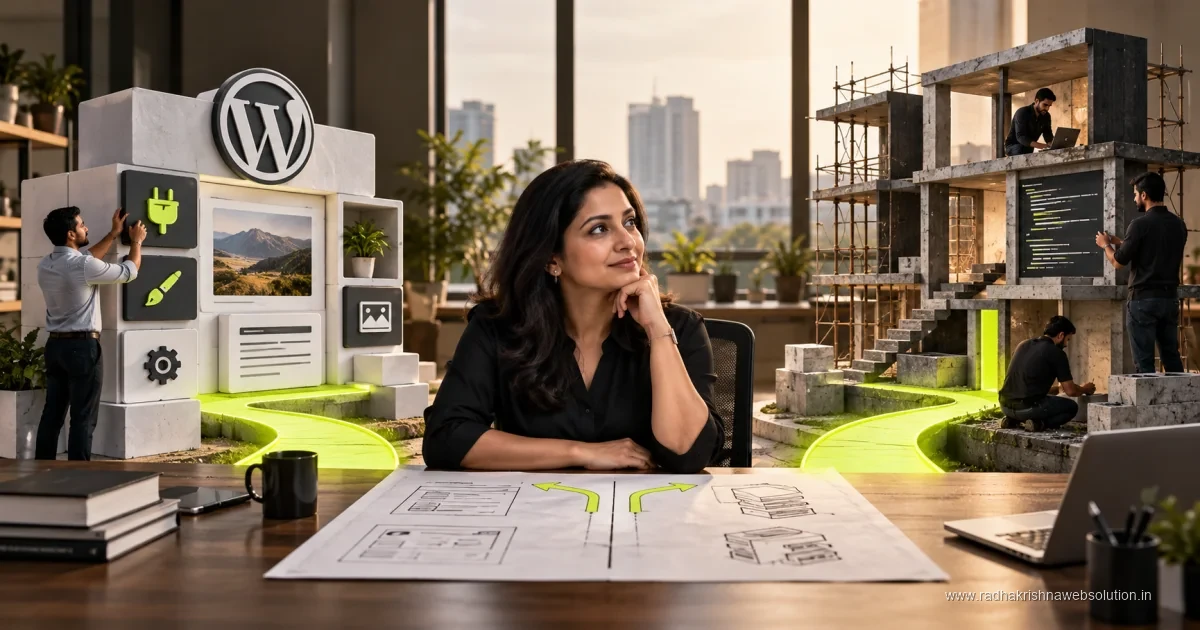
In a regular WordPress site, WordPress handles both content management and the design visitors see. In a headless setup, WordPress acts only as the content store, or backend. A separate frontend built with modern frameworks fetches content through an API and shows it to visitors. Your team still logs into WordPress to add pages, photos and enquiry details, so daily work does not change much.
Think of it like a restaurant kitchen and dining area. The kitchen, which is WordPress, prepares the food, which is your content. The dining area, which is the frontend, can be designed in many styles without changing the kitchen. This separation allows faster pages, custom designs and content reuse across website, mobile app and other screens. Our software development service uses this approach for projects that need apps and portals along with websites.
Benefits That Matter for Indian SMBs
For most small brochure sites under Rs 50k or business sites in the Rs 50k-2L range, regular WordPress is enough and more affordable to maintain. Headless makes sense when you have specific needs like very high traffic, multiple platforms sharing the same content, or a highly custom user experience that regular themes cannot deliver cleanly.
- Faster page loads for content heavy sites when built and hosted correctly.
- Same WordPress content can power website, app and in-store screens together.
- More design freedom for unique layouts without theme limitations.
- Better control over security by limiting direct access to WordPress.
- Easier to scale for catalogues, listings and multi city content.
For example, a coaching institute with centres in Pune, PCMC and Vadodara could manage courses once in WordPress and show them on the website and a student app together. Similarly, a retailer could run a fast catalogue site plus WhatsApp ordering while keeping stock updates in one place.
Costs, Timelines and Maintenance Reality
Headless projects need two parts to be built and maintained, so they cost more than regular WordPress. While a standard business site fits in Rs 50k-2L and launches in 6-12 weeks, a headless build usually falls in custom budgets above Rs 5L with similar or longer timelines depending on features. Ecommerce with headless often sits above the usual Rs 2-5L range because of extra frontend and integration work.
Maintenance also needs developers comfortable with both WordPress and modern frontend tools. Small changes like adding a banner may need developer help instead of a simple plugin setting. If you do not have regular tech support, this can slow you down. For this reason, we usually advise SMBs to choose headless only when the business benefit is clear, not just because it is a new trend.
Headless vs Regular WordPress: Which Should You Choose?
Use the table below for a quick decision. In our work with Pune and Vadodara clients, most service businesses, clinics, builders and institutes do well with well built regular WordPress plus good caching and image optimisation. Headless is better for startups building apps, large catalogues, news portals or multi brand platforms that need speed and flexibility across devices.
| Decision Point | Regular WordPress | Headless WordPress |
|---|---|---|
| Best for | Brochure and business sites, blogs, lead generation | Apps, portals, large catalogues, multi platform content |
| Typical budget | Under Rs 50k to Rs 50k-2L, ecommerce Rs 2-5L | Custom above Rs 5L depending on scope |
| Timeline | Usually 6-12 weeks | Often 6-12 weeks or more for complex builds |
| Ease of updates | Easy with themes and plugins | Needs developer for frontend changes |
| Speed potential | Good with optimisation and caching | Excellent when engineered well |
| Team needed | WordPress developer plus content team | WordPress plus frontend developers and hosting care |
If you are unsure, start with regular WordPress done well. You can move to headless later without losing content, as your posts and pages remain in WordPress. Review how long a website takes and maintenance needs to understand the full commitment before you decide.
Questions to Ask Your Developer Before Going Headless
Ask how content editors will manage daily updates, who will handle frontend hosting and monitoring, and what happens if a plugin you rely on does not support headless well. Clarify costs for both build and yearly care, backup ownership and how enquiries, forms and WhatsApp integrations will work in the new setup. A clear demo with your actual content is more useful than general promises.
Above all, tie the choice to business outcomes like faster admissions, more demo bookings or smoother app content updates, not only to technology interest. For many SMBs in Pune and PCMC, a fast, secure regular site brings better returns than a complex headless build. Contact RadhaKrishna Web Solutions for honest advice or call us on +91 70962 91214 and we will review your goals and suggest the simplest setup that meets your needs.
Cost Bands and Timelines: Where Headless Fits
Headless is custom work, so budget accordingly. Brochure sites are under Rs 50k, business sites with CMS are Rs 50k-2L, and regular ecommerce is Rs 2-5L, while headless projects are usually above Rs 5L because frontend, API setup, hosting and testing are separate. Timelines are often 6-12 weeks or more by app screens and integrations. If headless is quoted at brochure prices, ask what is excluded. To compare, see our notes on website development cost in Pune and our website development process. Also use our website redesign checklist to list content and integrations before estimates.
- Regular WordPress: Best for under Rs 50k to Rs 50k-2L brochure and lead needs.
- Regular ecommerce: Best for Rs 2-5L catalogue and payments.
- Headless: Best for above Rs 5L apps and multi-platform publishing.
Maintenance Checklist for Headless Owners
Headless has two systems to maintain. WordPress needs updates, backups and role reviews. The frontend needs hosting monitoring, build checks and error alerts. Without both, new posts may not appear live even after publishing.
- WordPress: Updates, backups and form testing.
- Frontend: Uptime, SSL and API response checks.
- Sync: Confirm publishes reflect on live site.
- Speed: Test on mid-range Android phones monthly.
Mistakes Teams Make With Headless Projects
Do not choose headless for trend alone. Small sites gain little but carry higher care costs. Check that forms, SEO tools and payment plugins work through APIs before committing. Plan real-content previews and editor training early, and rebuild analytics, call tracking and CRM links for the new frontend rather than assuming carryover.
- Map scope first: Pages, app screens and forms before above Rs 5L sign-off.
- Budget yearly care: Hosting, monitoring and developer hours.
- Plan SEO early: URLs, redirects and schema from week one.
Pune and Vadodara Examples: When Regular WordPress Wins
A Pune builder with projects in Baner and Hinjewadi chose well built regular WordPress at Rs 50k-2L with caching and clean enquiry forms. The team updates offers without developer help. A Vadodara institute with frequent batch changes also stayed with regular WordPress for easy edits. In contrast, a Pune startup feeding both website and student app from one backend found headless above Rs 5L worthwhile. If your need is brochure pages and lead forms updated often, regular WordPress is faster and kinder to budgets. Choose headless only when apps or large catalogues justify the extra 6-12 week plus effort.
A simple decision rule works for most SMBs. If your team updates content weekly and your needs fit brochure, business or standard ecommerce budgets, stay with regular WordPress and invest in speed and content quality. If one content hub must feed website, app and other screens, and an above Rs 5L budget with 6-12 weeks plus timeline is acceptable, explore headless with a clear maintenance owner for both systems.
Official references and further reading
Frequently asked questions
Is headless WordPress better than regular WordPress?
It depends on your needs. Regular WordPress is simpler and enough for most SMB sites, while headless suits apps, portals and large catalogues needing extra speed and flexibility.
How much does headless WordPress cost in India?
Headless builds are custom projects above Rs 5L in most cases. Standard business sites cost Rs 50k-2L and ecommerce Rs 2-5L with regular WordPress.
Will my team still manage content easily with headless?
Yes, editors still use familiar WordPress for content. However, design and frontend changes usually need developer help, so plan for ongoing tech support.
How long does a headless WordPress project take to launch?
Most headless builds take 6-12 weeks or more depending on app screens and integrations. Regular business sites also take 6-12 weeks when done with proper testing.