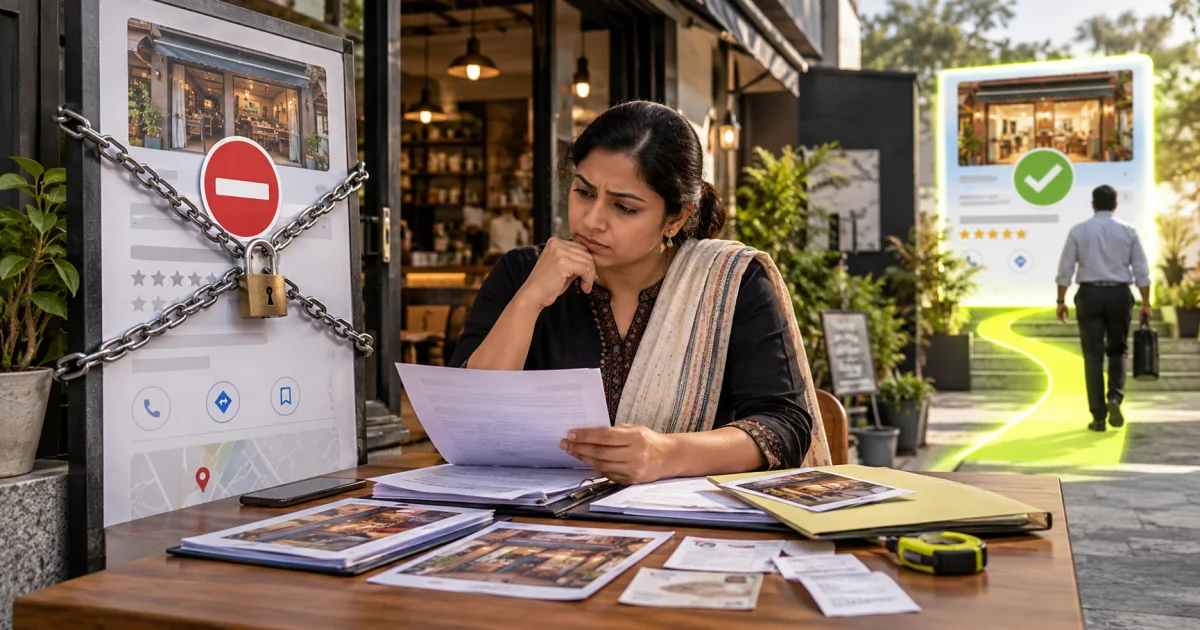
A Google Business Profile suspension fix starts with identifying the policy issue and correcting inaccurate or ineligible information. Prepare evidence that matches the business details, then use Google's appeals process. Avoid creating a duplicate profile while an appeal is under review, and do not promise that any service can guarantee reinstatement.
Short answer: To fix a suspended Google Business Profile, stop editing it, check the stated policy issue and the profile's eligibility, correct that problem, gather documents that show the same name and address, and submit an eligible appeal through Google's Business Profile appeals tool. Then wait without making further changes.
Your Google Business Profile vanished from Maps overnight and the dashboard now shows a suspension notice. A Google My Business suspension fix is usually possible, but the order of your steps matters far more than your speed. Owners often make it worse in the first hour by editing the profile again and firing off repeat appeals. This guide covers what triggers suspensions in India, how reinstatement actually works, and when a listing is genuinely gone.
A suspension is not a ranking penalty. It means Google can no longer confirm that your business exists where you say it does, in the form you say it takes. That is why our team treats Google Business Profile management as ongoing compliance work rather than a one-time setup. Present accurate details and genuine evidence; reinstatement is Google's decision, not a guaranteed outcome.
What is a Google Business Profile suspension?
A Google Business Profile suspension is Google restricting or removing your listing because it can no longer confirm that the business exists as described. It is not a ranking penalty: it is a question about whether the listing can be trusted.
- Suspension: Google limits or removes a profile for a suspected breach of its guidelines.
- Soft suspension: the listing stays visible on Search and Maps, but you lose the ability to manage it.
- Hard suspension: the listing disappears from Search and Maps, including its reviews, until it is reinstated.
- Appeal: the request you submit to Google, with evidence, asking it to review the suspension.
- Reinstatement: Google restoring the profile after a successful appeal, usually with its reviews and photos.
Why does Google suspend a Business Profile?
Google suspends profiles when the data on the listing stops matching what it can verify in the real world. The rules are set out in Google's guidelines for representing your business on Google. The usual triggers are an address it cannot confirm, a business name padded with keywords, a category that does not match the licence, or a burst of edits that looks automated.
Address eligibility is an important issue to examine. An unstaffed virtual mailing office may be ineligible. A coworking office may qualify if it has the required signage, business staff and customer-facing presence. An eligible service-area business can operate from home without displaying its address. Google cannot confirm that a customer could turn up at that door and be served.
Name violations come second. "Best Dental Clinic Akurdi" is not the name on your board, and adding a city or a service to the legal name is a guideline breach even when every competitor does it. Those breaches are easy for anyone to report, and competitors do report them.
Category abuse and review manipulation round out the list. Choosing hospital when you run a two chair clinic, or real estate agency when you are a contractor, invites a review of the whole profile. Incentivised reviews, staff reviews posted from the shop wifi, and bulk removal requests raise the same flag, which is why it pays to ask customers for reviews the right way.
Sudden edits are the trigger owners least expect. Changing name, address and category inside one session, or transferring ownership immediately after a bulk update, looks exactly like a hijacked listing. Agencies walk into this constantly when they take over a profile and tidy everything on day one.
| Trigger | What Google sees | First corrective step |
|---|---|---|
| Keyword stuffed name | A listing name that does not match signage, invoices or your website | Restore the exact name on your board, then appeal |
| Unstaffed or virtual address | No signage, a shared reception, or an address reused by other listings | Move to a staffed address, or switch to a service area business |
| Wrong primary category | A category implying a licence or facility you do not hold | Set the category that matches your registration, then appeal |
| Bulk edits in one session | Name, address, category and hours all changed within minutes | Revert to the last verified details and stop editing |
| Review manipulation | Clusters of reviews from one device, IP range or incentive campaign | Stop the campaign, document it, and disclose it in the appeal |
What is the difference between a soft and a hard suspension?
A soft suspension leaves the listing live in Maps and Search but strips your management access. Customers still find you, reviews still show, and the cause is usually a verification gap rather than a guidelines breach. Revenue keeps flowing while you sort it out.
A hard suspension removes the listing completely. Search your business name plus the locality and nothing appears, reviews included. This is the one that stops the phone ringing, and it needs the full reinstatement sequence below.
Check which one you have before you touch anything. Open Maps in a private browser window on mobile data rather than office wifi, and search the exact business name with the area. If a logged out user can still see the listing, the suspension is soft and your fix is narrower than you think.
How do you audit a suspended Google Business Profile before appealing?
Before appealing, check all relevant profile details against current guidelines. Before you submit anything, go through the listing field by field and compare it against your documents. This is the same audit we run when a client asks us to look at a suspended profile.
| Field | What to check | Common problem in India |
|---|---|---|
| Business name | Matches the signboard, GST certificate and invoices letter for letter | City or service added to the name, such as "Sharma Dental Clinic Wakad Best Dentist" |
| Address | A staffed location with signage, matching the rent agreement or utility bill | Coworking hot desk, virtual office, or a home address shown publicly for a service business |
| Service area | Used instead of an address if customers do not visit you | Address shown and service area set at the same time, or an area far wider than you really serve |
| Primary category | The one category that best describes the registered business | A category implying a licence or facility you do not hold |
| Phone and website | A local number answered by the business, and a website showing the same name and address | A call-tracking or agency number, or a website footer with a different address |
| Owners and managers | Only people you recognise, with at least two verified owners | A former agency or employee still listed as owner |
| Recent activity | What changed in the weeks before the suspension | A bulk edit, ownership transfer or review campaign shortly before the notice |
Write down every mismatch you find. The appeal note should mention each correction, so a reviewer can see you understood the problem rather than guessed at it.
How to fix a suspended Google Business Profile, step by step
Fix the specific violation, collect documents that match the corrected listing, and file one appeal through Google's reinstatement form. The order below matters more than speed.
Reinstatement is a documentation exercise, not a negotiation. Work through it in this order and resist the urge to jump ahead.
- Screenshot the suspension notice and record the date. You will need both if the case drags on.
- Stop editing. Avoid unnecessary changes while you prepare evidence; Google does not state that every edit automatically restarts an appeal.
- Audit the profile line by line against Google's guidelines: name, address, category, hours, service area, phone and website.
- Correct the clear violations in one sitting. Set the name to the one on your signboard and the primary category to the one that matches your registration.
- Assemble the evidence pack described in the next section as readable photographs and PDFs.
- Submit one appeal through the Business Profile reinstatement form, with a short factual note on what you corrected.
- Wait for the decision, and reply only inside that same thread if Google asks for more.
The note you write carries real weight. Keep it to a few plain sentences: what the business does, where it operates, what was wrong on the listing, and what you changed. Do not argue, do not mention competitors, and do not attach a wall of text.
A sample appeal note
The example below is entirely hypothetical. Replace all details with your real documented facts.
We are Sharma Dental Clinic, a dental practice operating from Shop 4, Sai Plaza, Akurdi, Pune 411035, open Monday to Saturday with two dentists on site. Our profile was suspended on 3 October. On review, our listing name included the words "Best Dentist Wakad", which are not part of our registered name; we have corrected it to match our signboard and GST registration. We have not made any other changes. Attached are our GST certificate, Shop and Establishment licence, a recent electricity bill in the clinic's name, and photographs of our signboard and reception.
Notice what it does: it states who you are and where you operate, names the specific violation, says exactly what changed, and lists the evidence. It does not plead, blame a competitor or promise anything.
What evidence should you gather before you appeal?
Google wants proof that a real business operates at the address under the name on the listing. In India that usually means GST registration, a utility bill or rent agreement in the business name, signage photographs showing the board and the entrance, and the shop and establishment or professional registration certificate.
- GST registration certificate showing the business name and address
- Shop and Establishment licence, or the professional registration for regulated practices
- Registered rent agreement, or a recent electricity or telephone bill in the business name
- Exterior photograph showing your signboard, the entrance and the building number
- Interior photograph showing staff at work, equipment or stock on the shelves
- A recent invoice or letterhead carrying the same name, address and phone number
Consistent, genuine documents can help Google assess an eligible appeal. The name, address and phone number must read identically across every document you send, so check how your details appear everywhere before you submit. The signage photo must be shot in daylight, wide enough to show the entrance in context, with the board legible without zooming.
What should you avoid while the appeal is open?
Use the original profile’s official appeal process and track the decision there. Google says not to create a new profile for the same business. Prepare matching evidence before starting. If the appeal is denied, follow the review options Google provides rather than trying to bypass the suspension with a replacement listing.
Also ignore anyone selling guaranteed reinstatement. Nobody outside Google can promise the outcome, and most sellers file the same form you can file yourself. We handle appeals for clients and we still give the same honest answer: the evidence decides it, not the sender.
Use the waiting period productively instead. Push your website landing pages, make your phone number and WhatsApp Business number obvious above the fold, and keep enquiry sources tagged so you can measure the damage. Talk to our team if you want a second pair of eyes on the appeal before it goes out.
What happens after you appeal a Google Business Profile suspension?
There are three usual outcomes. Knowing them in advance stops you from making a fixable case worse.
- Reinstated: the listing returns, usually with its reviews and photos. Leave it alone for a few weeks; do not immediately make the edits you postponed.
- More information requested: Google asks for further documents or a video of the premises. Reply inside the same case, quickly, with exactly what was asked for.
- Appeal denied: read the reason carefully. If you can fix something you missed or provide stronger evidence, correct it and appeal again with the new evidence. If the business model itself does not qualify for a listing, such as a virtual office, further appeals will not help.
Should you hire a suspension expert or reinstatement agency?
Hire a specialist only if your own audit cannot find the violation, or a first appeal has already been refused. For a clear-cut problem, such as a keyword in the business name, you can fix it and appeal yourself.
Many owners search for a "suspension removal expert" after a first appeal fails. An experienced specialist can help, but it is worth knowing what you are paying for.
A good specialist does three things you may find hard to do alone: they audit the listing objectively and spot the violation you missed, they assemble an evidence pack in which every document agrees, and they write a short, factual appeal. They also tell you plainly when a listing cannot be recovered, so you stop spending time on it.
Be wary of anyone who:
- guarantees reinstatement or a fixed timeline, because only Google decides the outcome
- claims a special contact or "back door" at Google
- asks for your Google account password instead of being added as a manager
- suggests creating a new listing, changing the address or buying reviews to get around the suspension
If you want help, our Google Business Profile management team handles suspension audits and appeals for businesses in Pune, Pimpri-Chinchwad and Vadodara, and we say upfront when a case looks unrecoverable.
Which Google Business Profile suspensions cannot be reversed?
Certain setups do not qualify for a Maps listing at all, and no volume of appealing changes that. A profile at a virtual office, a business with no staffed premises and no in person service, and a listing built only to capture leads for someone else will stay down.
Repeat offenders run out of road too. A profile suspended twice for the same violation is much harder to recover, and an account holding several suspended listings can face restrictions across all of them.
If the listing is genuinely finished, rebuild demand elsewhere while you establish a verifiable address. Strong organic visibility on your own website and paid search do not depend on Maps at all. Once you have a staffed address with signage and paperwork that agrees, start a fresh verification cleanly rather than reviving the old profile.
How do you stop your Google Business Profile being suspended again?
Prevention is mostly restraint. Google's own tips to improve your local ranking follow the same principle: accurate, complete, consistent information. Change one thing at a time, keep documentation current, and never let a campaign push a keyword into the business name. Six habits cover almost every case we see.
- Keep the listing name identical to your signboard and your invoices
- Update address or category only after the paperwork has already changed
- Space out edits, and make them from the account that owns the profile
- Keep at least two verified owners so one lost login cannot lock you out
- Refresh photos and posts monthly rather than in one annual burst
- Audit your listings across directories twice a year
Directory data feeds Google's confidence in your address, so keep the Indian directories that actually matter in step with your profile. JustDial, IndiaMART and your own website footer should all show the same suite number and the same phone line.
RadhaKrishna Web Solutions supports businesses in Pune, Maharashtra, and Vadodara, Gujarat, through remote project delivery. We do not currently operate a customer-facing office. Contact the RKWS team to discuss your requirements and agree the next steps.
Key takeaways
- A suspension means Google cannot verify your business as listed. It is fixable in most cases, but not by repeated appeals.
- Check whether the suspension is soft or hard before you change anything.
- Find and fix the actual violation: usually the name, the address or the category.
- Send one appeal with documents that all show the same name, address and phone number.
- Do not create a new listing or keep editing the profile while the appeal is open.
- Virtual offices and unstaffed addresses do not qualify for a listing, however often you appeal.
Frequently asked questions
How long does reinstatement take?
Google does not publish a turnaround time. Some appeals are decided within a few business days, others sit for weeks, particularly when the address is contested or the case has been escalated. Reply quickly to any request for extra documents, because a slow response usually restarts the clock.
Can I create a new listing instead of appealing?
No. Creating a duplicate while a suspension is active is itself a guideline breach, and the new listing tends to get suspended alongside the old one. Appeal the original, because it carries your reviews, photos and location history.
Does a suspension delete my reviews?
Reviews are hidden while the profile is suspended, not deleted, and in most reinstatements they return with the listing. Reviews left during the suspension window can be lost. That is one more reason to pause any review campaign until the case closes.
Do I need a GST number to verify a Business Profile in India?
Not always. GST registration is one of the strongest documents you can send, but a Shop and Establishment licence, a registered rent agreement and a utility bill in the business name can carry an appeal on their own. Send whichever set matches the listing exactly.
What is a soft suspension on Google Business Profile?
A soft suspension means the listing still appears on Maps and Search, but you can no longer manage it. It usually points to a verification or ownership problem rather than a serious guideline breach, and it is generally quicker to resolve than a hard suspension.
Can an agency guarantee my profile will be reinstated?
No. Only Google decides an appeal. A good specialist improves your chances by finding the real violation and presenting consistent evidence, but anyone who guarantees the result is overselling.
What if my appeal is rejected?
Read the reason, fix anything you missed and appeal again with new or stronger evidence. Repeating the same appeal without changes rarely helps, and if the business does not qualify for a listing, such as a virtual office, no appeal will succeed.
Getting the listing back on the map
Work the problem in order. Identify the suspension type, fix the actual violation, gather documents that all say the same thing, then appeal once. That sequence gives a recoverable listing its best chance, while panic edits and repeat appeals can turn a fixable problem into a permanent one.
If you would rather hand it over, we audit the profile, prepare the evidence pack and file the appeal, and we tell you upfront when a listing looks unrecoverable. We do not guarantee reinstatement, because nobody outside Google can. Send us the suspension notice and your listing details and discuss the evidence and next steps without a guaranteed timeline.