
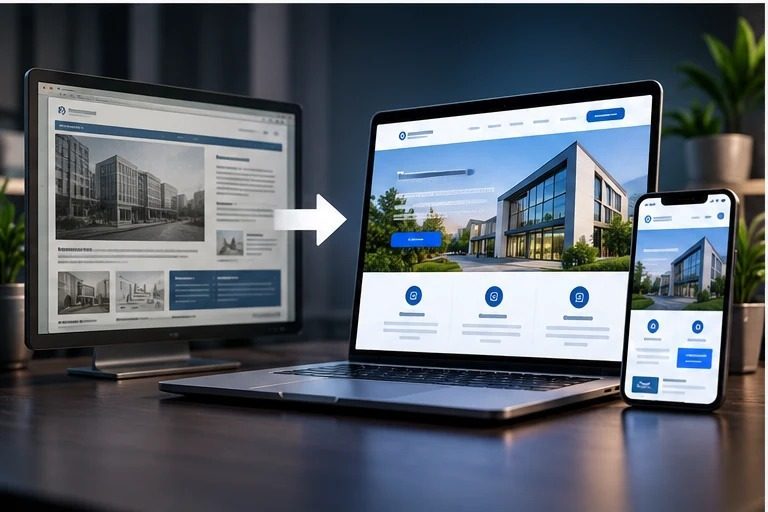
An old website can look fine on the owner's laptop and still lose enquiries every week. The contact form fails silently, the menu is unusable on a phone, or the services page describes what the business did three years ago. The hard part is not spotting that the site feels dated. It is deciding what to do about it: a quick refresh, a proper redesign, or a full rebuild. Those three cost very different amounts of money and time.
This guide is for owners of small and mid-sized Indian businesses who want to make that decision with evidence rather than gut feel. It covers ten signs to look for, how to test each one in about five minutes with free tools, a simple scoring rule, and what each option typically costs. If a rebuild is already approved and you need to protect your rankings during the move, go straight to our website redesign checklist, which covers redirects, staging and launch in detail.
10 signs your old website needs attention, and how to check each one
Run through these with a phone in one hand and the website open on a laptop. Note a simple yes or no for each. You do not need a developer for any of these checks.
1. It is hard to use on a phone
Most enquiries for local service businesses in India now start on a mobile phone. Open your home page and your main service page on an ordinary Android phone. Can you read the text without zooming? Can you tap the menu, find the phone number and send an enquiry with one thumb? If you have to pinch, zoom or scroll sideways, count this sign as a yes.
2. Pages load slowly
Test your home page and one service page in Google's free PageSpeed Insights tool, and look at the mobile result. Do not chase a perfect score. What matters is whether the main content appears quickly on a normal mobile connection. Very large images, sliders and a pile of plugins are the usual causes. If the mobile report flags the page as poor on loading, count it.
3. The enquiry form does not reliably reach you
This is the most expensive sign and the one owners check least. Submit your own contact form from a phone, using a personal email address. Did the enquiry arrive within a few minutes? Did it land in spam? Did the visitor see a clear confirmation? A form that fails even occasionally can cost more than the entire redesign. If you find a problem, fix it this week, whatever you decide about the rest of the site.
4. The content is out of date
Read your services, pricing, team and location pages as if you were a new customer. Are there services you no longer offer, or new ones that are missing? Old office addresses, former staff, expired offers and a copyright year from several years ago all quietly tell visitors the business may not be active.
5. Simple edits need a developer
Ask whoever updates the site how long it takes to change a price, add a service or publish a new page. If the answer is "we have to call the developer", or edits regularly break the layout, the content management system is working against you. This sign often decides between a redesign and a rebuild.
6. Visitors cannot quickly see why they should trust you
Within a few seconds of landing, a visitor should see what you do, where you work and how to contact you. Check whether the phone number, address and WhatsApp link are easy to find, and whether there is real proof: named clients, project photos, reviews or certifications. Stock photos and vague claims count as missing proof.
7. It is difficult for people with disabilities to use
Try using the site with only the keyboard, pressing Tab to move between links and buttons. Can you always see where you are? Is the text readable against its background? Do form fields have visible labels, not just placeholder text? Accessibility problems also tend to be usability problems for everyone.
8. The underlying software is unsupported
For WordPress sites, log in and look at the updates screen. Many plugins with pending updates, a theme that is no longer maintained, or an old PHP version on the hosting account are security risks, not just cosmetic issues. If the site was hacked in the past, or shows spam pages in Google results, treat it as a security problem first. Our guide to recovering from a malware or spam warning explains that process.
9. It has search problems you can see in Search Console
If you have Google Search Console set up, open the Pages report. A large number of pages marked "Not found (404)", "Duplicate without user-selected canonical" or "Crawled - currently not indexed" points to structural issues. These often come from years of piecemeal additions. If you have never set up Search Console, doing so is the first step, and it is free.
10. Traffic arrives but enquiries do not
Compare your monthly visitors in Google Analytics with the number of genuine enquiries in the same month. If visits are steady but enquiries are few, or mostly irrelevant, the site is not explaining the offer clearly or making the next step obvious. This is a content and design problem rather than a traffic problem, and more advertising will not fix it.
A simple scoring rule
Count your yes answers, but give extra weight to the signs that are expensive to fix later:
- 0 to 2 signs, none of them 3, 5 or 8: fix the specific problems on the current site. You do not need a redesign yet.
- 3 to 5 signs, mostly content, trust and mobile (1, 4, 6, 10): a content and visual refresh, or a UX redesign on the existing platform, is usually enough.
- 6 or more signs, or any of 5 and 8 together: the platform itself is holding you back. Plan a redesign with redevelopment.
Sign 3, a failing enquiry form, is urgent on its own. Fix it immediately rather than waiting for a project.
Refresh, redesign or redevelop: which one you need
The three options are often used as if they mean the same thing. They do not, and the difference is mostly about what stays.
| Option | What stays | What changes | Choose it when |
|---|---|---|---|
| Content and visual refresh | Platform, page structure and URLs | Copy, images, colours, calls to action, trust elements | The site works technically but looks dated or says the wrong things |
| UX redesign | Platform, and most URLs | Navigation, page layouts, forms, mobile patterns, content structure | Visitors get lost, or the site attracts traffic that does not convert |
| Full redevelopment | Your content, domain and search history | CMS or framework, hosting, integrations, often some URLs | The platform is insecure, unmaintainable or too slow to fix in place |
A common and costly mistake is choosing a full rebuild when a refresh would have solved the actual problem. The opposite mistake is repainting a site whose foundations are insecure. If you are weighing a WordPress rebuild against a custom one, our comparison of WordPress and custom websites sets out the trade-offs.
What an old website revamp typically costs in India
Exact pricing depends on page count, design work, content and integrations, so any honest figure is a range. These bands match what we see for small and mid-sized business sites:
| Scope | Typical budget | Typical timeline |
|---|---|---|
| Content and visual refresh on the existing site | Usually well under Rs 50,000 | 2 to 4 weeks |
| Redesign of a business site with a CMS | Rs 50,000 to Rs 2 lakh | 6 to 12 weeks |
| Ecommerce store redesign or rebuild | Rs 2 lakh to Rs 5 lakh | 6 to 12 weeks or more |
| Custom web application | Rs 5 lakh and above | Scoped individually |
The biggest drivers of cost are usually the things owners leave out of the brief: rewriting content, migrating old blog posts and products, integrations with CRMs or payment gateways, and cleaning up a hacked site. When you compare quotes, ask each provider to list discovery, design, development, content, migration, testing and ongoing maintenance separately, so you are comparing like with like. For a detailed breakdown by project type, see website development cost in Pune.
How to run the revamp without losing what already works
An old site usually has assets worth keeping: pages that already rank, backlinks from other websites, and content that answers real customer questions. Protect them in this order:
- Record the baseline. Export your current pages, top landing pages from Search Console, and monthly enquiries before anything changes. Without a baseline you cannot tell whether the new site is better.
- Ask your sales team what customers ask. The questions prospects repeat on calls are the content your new pages should answer.
- Keep URLs that earn traffic. Where a URL must change, plan a permanent 301 redirect to the closest matching new page, never a blanket redirect to the home page. Google's guidance on site moves with URL changes explains why.
- Design with real content. Placeholder text hides layout problems that only appear when the actual service descriptions go in.
- Test forms, redirects and mobile before launch, then watch Search Console and enquiries closely for the first month.
The full step-by-step process, including staging, redirect mapping and the first 30 days after launch, is in our website redesign checklist.
Frequently Asked Questions
How often should a business website be redesigned?
There is no fixed cycle. Review the site against the ten signs above once a year. Many business sites need a content refresh every year or two and a structural redesign only when the platform or the business has changed significantly.
Should I redesign my website or build a new one?
If the existing CMS is secure, supported and easy to edit, a refresh or UX redesign on the same platform is usually the better value. Choose redevelopment when the platform is unsupported, insecure or too slow to fix in place.
Will redesigning my website hurt SEO?
It can, if pages that rank are removed, URLs change without redirects, or the staging site's noindex setting goes live. Planned properly, a redesign usually improves search performance because the site becomes faster and clearer.
How much does it cost to redesign an old website in India?
A content and visual refresh is usually well under Rs 50,000. Redesigning a business site with a CMS typically costs Rs 50,000 to Rs 2 lakh, and ecommerce work Rs 2 lakh to Rs 5 lakh.
How long does a website revamp take?
A refresh typically takes 2 to 4 weeks. A full redesign or rebuild usually takes 6 to 12 weeks, depending on page count, content readiness and how quickly feedback is given.
Start with an audit, not a theme demo
Run the ten checks above before you look at any new designs. They tell you whether you need a refresh, a redesign or a rebuild, and they become the brief for whoever does the work. If you would like a second opinion, contact RadhaKrishna Web Solutions with your domain and what you want the site to achieve. Our website development team in Pune and Vadodara can review it and tell you plainly which option fits.


