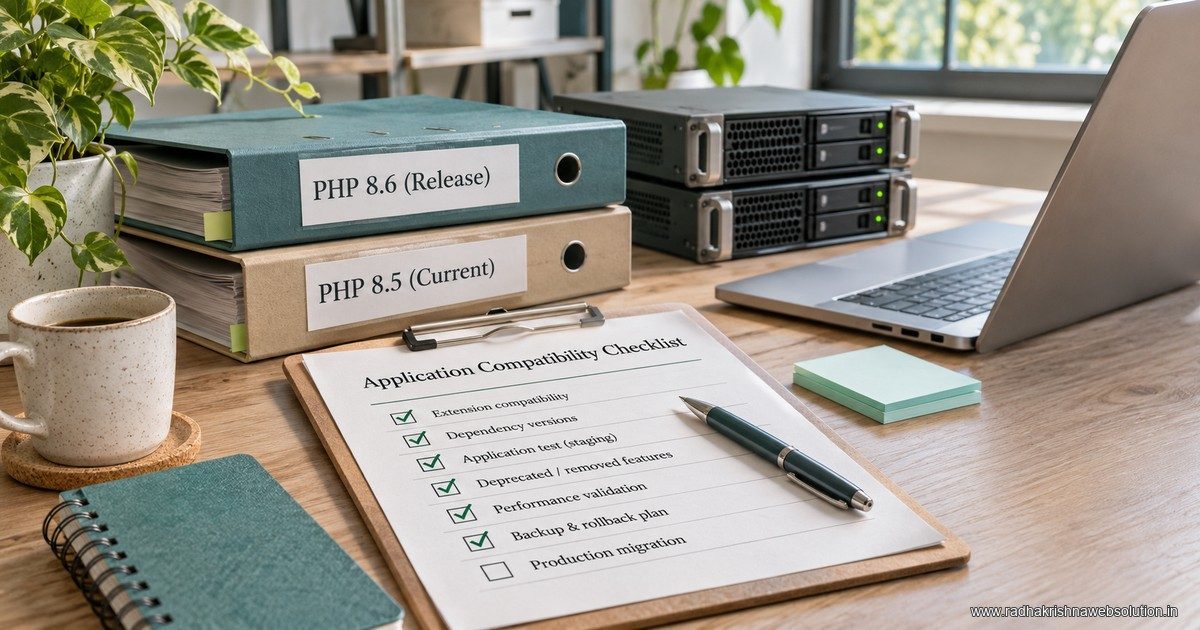
PHP 8.6 is available, but a successful upgrade means more than selecting a new version in a hosting panel. Confirm application compatibility, extensions, session behaviour, background jobs and recovery before changing production. Treat the language upgrade and any urgent security patch as related decisions with separate acceptance checks.
What changed in the PHP 8.6 release?
The PHP project announced general availability on 19 November 2026. Its release announcement introduces partial function application, a duration class, a polling API and other language changes. The accompanying migration guide documents compatibility considerations. An earlier release-candidate page is not the right source for the final release's status.
Those features matter differently across projects. A business brochure site may gain little from rewriting working code around new syntax. A maintained application may benefit when a feature simplifies a real problem. Neither case removes the need to test the application people actually use.
This guide focuses on adopting the new branch. If your immediate question is the retirement of an older version, use the separate PHP 8.2 end-of-life planning guide.
Build an inventory before changing the runtime
Record each application, its web runtime, command-line runtime and scheduled workers. A server can run one PHP version for web requests while a nightly export uses another executable. Ask the person responsible for hosting to verify both rather than inferring one from the other.
For each application, note the framework or CMS version, extension requirements, dependency lockfile and operational owner. Include small integrations that are easy to overlook: lead-form email, image processing, PDF generation, payment callbacks and the script importing products each evening.
| Component | What to record | Evidence to keep |
|---|---|---|
| Website requests | Runtime and loaded extensions | Restricted diagnostic output or deployment record |
| Scheduled jobs | Executable and environment | Job definition and a controlled test result |
| Dependencies | Installed versions and constraints | Lockfile and compatibility review |
| Integrations | Mail, payments, files and external services | Named test cases and expected outcomes |
Keep diagnostics private. A permanently exposed information page can reveal details that visitors do not need.
Separate a security patch from a feature migration
An application can need a security update while its move to a new minor branch is still being tested. Ask the hosting provider which supported, patched package it supplies for your current branch. Avoid postponing an urgent remediation simply because a larger migration has not finished.
Equally, do not assume that moving to a different branch automatically resolves every application problem. The deployed package, application code, configuration and process restarts all matter. The PHP security recovery guide explains the operational distinction between patching and investigating possible compromise.
Test the paths that carry real business work
Create a staging copy with representative, appropriately protected data. Keep outbound customer messaging and live payment capture disabled there. A homepage loading successfully is only the first check.
- Sign in, sign out and test a session timeout.
- Submit an enquiry and verify its receipt using a controlled address.
- Test uploads, downloads and generated documents.
- Exercise payment flows in the provider's test environment.
- Run scheduled exports, queues and integrations under the intended runtime.
- Review errors and warnings, then repeat the failing workflow after correction.
For WordPress, also check themes and plugins through the PHP compatibility checklist. Vendor compatibility statements help prioritise testing; they do not replace it.
Agree rollback before the release window
Write down what would trigger a rollback, who can perform it and which backup has been restored successfully in a test. Consider application changes separately from database changes: reverting a runtime may not reverse a schema migration or a message already sent.
An illustrative acceptance record could say: “The enquiry arrived once, the PDF opened correctly, the scheduled import completed, and a test user could sign out and sign in again.” That is more useful than “upgrade completed.” Keep the runtime version and deployment identifier with the record.
Frequently asked questions
Does PHP 8.6 mean my website needs a redesign?
No. A runtime upgrade and a visual redesign are different scopes. Assess compatibility and support first; redesign only when the site's content, navigation or conversion journey needs it.
Can the hosting company perform the whole upgrade?
A host may manage runtime packages, but somebody must still verify your application, integrations and scheduled work. Agree who owns each acceptance test before the change.
Should we use the release candidate because it was already tested?
Use the appropriate stable release for a production plan, with the current package and compatibility guidance confirmed at deployment time. Testing a candidate does not establish that every final configuration is safe.
Make the upgrade reviewable
The useful deliverable is a compatibility inventory, tested workflows, a recovery plan and evidence from the running application. RKWS can help scope that work through IT support and maintenance or a wider website development project. Share the current stack and business-critical workflows when requesting help.