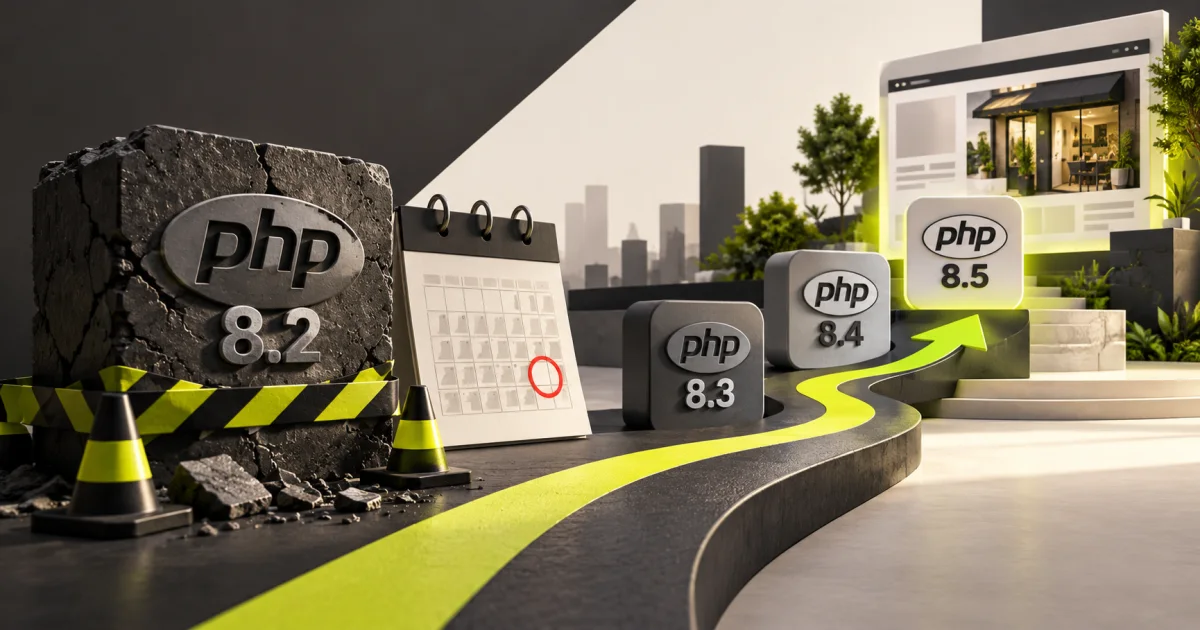
PHP 8.2 end of life 2026 is scheduled for 31 December 2026, when the PHP project will stop providing security fixes for that branch. Website owners should first install the October 2026 emergency patch, PHP 8.2.35, then plan a tested move to a longer-supported PHP version. PHP 8.4 or 8.5 may be appropriate, depending on application compatibility.
This guide reflects PHP's supported-version schedule checked on 23 October 2026. The distinction matters: installing an emergency fix addresses a known incident, while upgrading to a longer-supported branch reduces the risk of operating on an unmaintained runtime.
What does PHP 8.2 end of life mean for a website?
End of life (EOL) means upstream PHP maintainers no longer supply security updates to that release branch. Existing websites may continue functioning, but a newly discovered vulnerability may remain unpatched unless a separate Linux distributor or commercial support vendor maintains an appropriate backport.
PHP 8.2 is currently receiving security-only fixes. The 21 October PHP2Shell releases included PHP 8.2.35, which addresses two critical flaws, CVE-2026-109618 and CVE-2026-109619. That patched version is urgently needed for exposed installations now; it does not extend PHP 8.2's lifetime beyond December.
Which PHP branches remain supported after 2026?
The official lifecycle schedule lists different security support deadlines. Selecting a newer branch provides a longer maintenance window but still requires compatibility testing with your actual website code.
| PHP branch | First PHP2Shell-fixed version | Upstream security support until |
|---|---|---|
| PHP 8.2 | 8.2.35 | 31 December 2026 |
| PHP 8.3 | 8.3.36 | 31 December 2027 |
| PHP 8.4 | 8.4.27 | 31 December 2028 |
| PHP 8.5 | 8.5.12 | 31 December 2029 |
Source: PHP Supported Versions and PHP emergency release announcements. These dates refer to upstream project maintenance. Your hosting provider's package lifecycle may differ; verify its supported versions before committing.
Is PHP 8.2.35 enough after the October 2026 security issue?
PHP 8.2.35 is the first upstream 8.2 release fixing the October PHP2Shell vulnerabilities, so it is an important immediate security update. It is not a long-term replacement for a branch upgrade. Once 8.2 reaches EOL, relying on it without an independently maintained support contract can leave future vulnerabilities unresolved.
For most sites, the practical sequence is patch urgently, test a new branch, migrate deliberately. Do not delay a critical security patch while waiting for a complete redesign. Equally, do not jump straight to a new major PHP branch on an untested live store without backups and a rollback plan.
Should WordPress websites upgrade from PHP 8.2 to 8.4 or 8.5?
WordPress's hosting guidance recommends PHP 8.4 or later for production use and lists compatibility by WordPress version. However, a compatible WordPress core does not guarantee that every third-party plugin or custom theme will work on that branch.
- PHP 8.4: A sensible migration candidate for many maintained WordPress installations, after plugin and theme testing.
- PHP 8.5: Another supported option with a longer lifecycle; confirm the specific WordPress core and extensions are compatible.
- PHP 8.3: May be a temporary option for a legacy application that cannot immediately move further, but offers a shorter remaining support window.
- Custom PHP applications: Assess framework support, packages, removed features and database drivers; do not infer compatibility from WordPress guidance.
Use the WordPress PHP compatibility matrix to identify core-level requirements. For a broader platform decision, our WordPress versus custom website guide explains when retaining a CMS or rebuilding specific business logic makes sense.
How should a business plan its PHP 8.2 upgrade?
We suggest a simple four-stage migration worksheet. It is a planning model rather than a claim about a particular client's infrastructure.
- Inventory: List domains, subdomains, applications, PHP version, plugin inventory, integrations and server owner. Flag any PHP 7.x or 8.1 systems that need separate urgent treatment.
- Prepare: Choose a target branch, collect host and vendor compatibility notes, capture a full restorable backup and reproduce the site in staging.
- Test: Enable the target PHP version on staging, review error logs, run functional tests and resolve incompatibilities in supported code or plugins.
- Release: Schedule the production switch, record a rollback method, activate the updated runtime and monitor logs, performance and enquiries.
What should be tested before switching PHP versions?
Do not stop at a green homepage. A PHP change can reveal problems in code paths that ordinary page viewing does not exercise. Give your tester a checklist with observable pass or fail results.
| Area | Acceptance test | Business risk if broken |
|---|---|---|
| Enquiry forms | Submit test enquiry and confirm CRM or email delivery | Lost leads |
| Login and user roles | Sign in with permitted roles and test dashboard actions | Access disruption |
| Checkout and payments | Use sandbox transactions and verify order records | Failed sales |
| Search and filters | Exercise real catalogue or content searches | Broken product discovery |
| Integrations | Test webhooks, APIs, scheduled jobs and notifications | Silent operational failure |
| SEO-critical pages | Check responses, canonical tags, rendered content and sitemaps | Crawling and indexing disruption |
What is the safest migration timeline?
The duration depends on complexity, not a universal number of days. A small brochure website with maintained plugins may be simpler than a WooCommerce store or custom CRM. Prioritise the immediate emergency patch, then choose a migration schedule based on risk and testing capacity.
A practical milestone sequence is: inventory and backups, staging upgrade, compatibility fixes, business-flow testing, production switchover and follow-up monitoring. Establish owners and go/no-go criteria for each stage. Our website maintenance checklist covers the recurring checks that should continue after migration.
Will a PHP upgrade affect search rankings or website speed?
A PHP upgrade is not an automatic SEO ranking boost. It can affect how pages render, how quickly the server responds and whether forms or integrations work. If the migration causes downtime, server errors or unexpected changes to canonical and indexable pages, search performance can suffer. Measure before and after instead of promising a ranking improvement.
Use real URL tests, web analytics and Search Console to check page availability and indexing. For an older site undergoing a larger change, read our old website revamp planning guide to avoid turning a security migration into an uncontrolled full redesign.
Frequently asked questions about PHP 8.2 EOL
When does PHP 8.2 reach end of life?
31 December 2026, according to the official PHP project maintenance schedule.
Can I stay on PHP 8.2.35 after December 2026?
It may continue to run, but upstream support ends. That creates future patching risk unless you have verified alternative vendor maintenance.
Is PHP 8.5 better than PHP 8.4 for every WordPress website?
Not automatically. Both are supported targets, but WordPress core, active plugins, themes and custom integrations must be checked for your chosen version.
Will upgrading PHP automatically improve my Google rankings?
No. Technical reliability and performance matter, but the migration does not guarantee ranking changes. Prevent downtime, errors and unintended page changes.
Key takeaways and next steps
Patch PHP 8.2 now, then retire it before 31 December 2026. Choose a maintained target, confirm compatibility, test critical business flows and keep a rollback plan. For an initial technical assessment, contact RKWS with your platform and current version, without sending credentials.
Frequently asked questions
When does PHP 8.2 reach end of life?
According to the PHP project, PHP 8.2 reaches end of life on 31 December 2026, when its upstream security support ends.
Is PHP 8.2.35 safe to keep using indefinitely?
No. PHP 8.2.35 contains the October 2026 emergency fixes, but PHP 8.2 is scheduled to stop receiving upstream security maintenance on 31 December 2026.
Should WordPress sites move to PHP 8.4 or 8.5?
PHP 8.4 and 8.5 are supported migration candidates. Choose after checking the current WordPress core version, active themes, plugins, custom code and hosting support.
Will moving from PHP 8.2 to PHP 8.4 hurt SEO?
A PHP migration does not inherently reduce rankings, but site errors, broken forms, changes to rendered pages or downtime could disrupt users and indexing. Use staging, testing and monitoring.