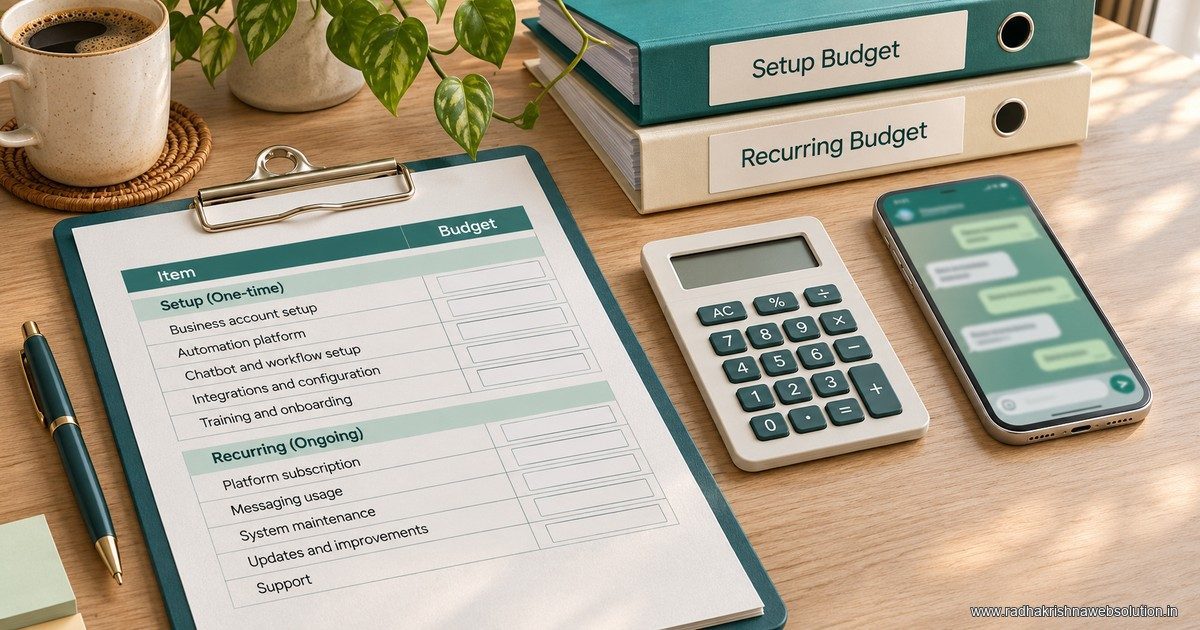
WhatsApp automation cost in India depends on the workflow, messaging usage, software, integration and support. Separate those components before comparing proposals. Use current rate cards and written quotes in the worksheet; a low messaging rate alone does not describe the cost of a working customer-enquiry system.
Start with one workflow and its expected volume
Write down the job before requesting a price. An acknowledgement after an enquiry, an order-status update and a sales campaign have different triggers and operational needs. A proposal for one should not quietly be compared with a proposal for all three.
Record where the information comes from, what the customer is expecting, which person can take over and how the result will be checked. The WhatsApp automation guide helps define that first workflow. The downloadable WhatsApp cost worksheet separates budget inputs without supplying guessed vendor rates.
Read messaging prices from the current source
Meta's Business Platform pricing page describes per-delivered-message charging, with categories, recipient markets and exceptions affecting the applicable price. Do not reuse an old per-conversation estimate as if it were a current invoice rule.
For each planned message type, check the applicable category and rate with the provider. Separate estimated delivered messages from the billable count used in the calculation. A workflow can include messages that are treated differently; not every message should automatically receive the same rate.
If the business does not need the Platform, begin with the Business App vs API comparison. A spreadsheet cannot rescue a budget built around the wrong product.
Put each cost on a separate line
| Component | Input to request | Question that prevents a misleading comparison |
|---|---|---|
| Messaging usage | Current applicable rates and estimated billable volumes | Which categories, markets and exceptions apply? |
| Inbox or platform software | Quoted plan and renewal terms | Are agent seats or integrations additional? |
| Initial implementation | Written deliverables and acceptance tests | What is connected and what is excluded? |
| Ongoing support | Responsibilities and support period | Who handles failures and changes? |
| Other third parties | Named service and billing arrangement | Which charges sit outside this proposal? |
Keep one-time and recurring costs in different totals. Where currency conversion or taxes apply, obtain the relevant invoice terms rather than assuming a universal addition.
Use the worksheet without inventing a market price
For a simple usage row, the planning calculation is the estimated billable messages multiplied by the applicable unit rate. Repeat that calculation for categories or markets that need separate treatment. Then add the software and support charges agreed for the same period.
The CSV deliberately leaves rate fields blank. Fill them from a dated rate card or written proposal. Mark uncertain values as estimates and record who will confirm them. Do not turn an empty field into zero merely to make a proposal look complete.
For the first implementation period, add the separately scoped setup work. For later periods, remove genuinely one-time items but keep recurring responsibilities. The result is a comparable planning model, not a promise that the final bill cannot vary.
Compare the same acceptance test across providers
A service can be inexpensive and still fail the business if nobody owns the integration. Give competing proposals the same controlled workflow: a new enquiry is captured once, assigned to the correct person and followed up only under the approved messaging rules.
Test a duplicate, a failed connection and an unavailable owner. Confirm whether troubleshooting and future changes are included. The WhatsApp CRM integration guide explains the connected records; the lead-management guide explains the human process around them.
No worksheet row should imply guaranteed sales. To evaluate the project later, compare useful measures such as handled enquiries, missed follow-up and staff effort using an agreed baseline.
Include account ownership and an exit plan
Ask who controls the business account, number and application access. Confirm which data can be exported and what happens if the subscription or implementation relationship ends. A low opening price can become difficult to compare if the business cannot recover its own working setup.
Store rate evidence and proposals privately. Do not put account credentials, customer lists or confidential supplier terms into a public worksheet or blog comment.
Frequently asked questions
Is there one standard WhatsApp automation price for India?
No. The workflow, provider software, usage and implementation responsibilities differ. Use itemised proposals and current applicable rates.
Are API messaging charges the whole budget?
Not necessarily. Software, agent access, setup, integrations and support may be separate. Confirm each item before comparing the totals.
Does this worksheet recommend a specific provider?
No. It makes proposals comparable. Choose the product and delivery arrangement that meets your documented workflow and acceptance checks.
Request a scoped proposal
Share the workflow, source systems and expected usage when discussing automation services. RKWS can assess the integration scope; third-party messaging and software charges should remain explicit in the proposal.