When Meta leads are not syncing to a CRM, first confirm where the enquiry exists. Check the source form, integration event, data retrieval and CRM record separately. A notification arriving at an integration is not proof that a usable, owned lead reached the sales team.
Separate missing leads from missing delivery
Start with a known, authorised test submission. Record the form, Page, time and source lead identifier where available. Compare that evidence with the CRM rather than guessing from an aggregate campaign total.
If the source has no submission, investigate the form and acquisition journey. If it has the submission but the CRM does not, investigate delivery. Our broader Meta Ads not generating leads guide covers the earlier part of the funnel; this checklist addresses the handoff after capture.
Use the downloadable Meta-to-CRM handoff test sheet to keep the investigation reproducible. Do not put real contact details into a public bug report or shared template.
Understand the stages between Meta and the CRM
Meta's lead retrieval documentation describes retrieval through webhooks or bulk read. Its lead webhook documentation explains the Page/app subscription setup. The permissions and account configuration must match the actual integration route.
For troubleshooting, treat the process as separate stages even when a provider packages them behind one screen.
| Stage | Evidence to look for | What it does not prove |
|---|---|---|
| Source submission | Test record associated with the intended form | The CRM has received it |
| Notification | Matching event in the integration | Full lead data was fetched successfully |
| Retrieval | Successful response for the intended record | The CRM accepted its field mapping |
| CRM write | Record identifier or an explicit write result | A salesperson owns the next action |
| Assignment | Owner and follow-up state | The enquiry is qualified or a sale is complete |
Check access before rebuilding the connection
Confirm that the authorised integration still has the required access to the intended business assets. Compare its current configuration with the provider's supported setup and Meta's current documentation. Do not grant broad new permissions simply because a connection stopped working.
Record the actual error and the request or event it belongs to. A screenshot showing a connected account is less useful than evidence that the relevant lead could be retrieved. Keep tokens and other credentials out of the diagnostic record.
Where a provider manages the connector, send it the non-sensitive identifiers and timing needed to investigate. Ask for the stage that failed rather than accepting a generic instruction to reconnect everything.
Review field mapping and validation
Compare the fields collected by the form with those the CRM requires. A missing mandatory property, changed field name or unexpected format can make the handoff fail even when retrieval works.
Use a controlled test to check a normal record, an omitted optional field and the format your CRM expects. Do not silently replace unknown information with invented values to satisfy validation. Capture the failure in a review queue with enough context for an authorised person to resolve it.
The B2B enquiry-form guide can help decide which information belongs in the form. Fewer fields are not always better; each required field should have a clear operational purpose.
Make retries safe for the same enquiry
An integration may retry work after a temporary failure. Decide how it recognises an event it has already handled so the retry does not create another record or send another message unnecessarily.
In an illustrative implementation, the source lead identifier is kept with the CRM record and the integration's processing history. Reprocessing the same source event should produce a defined result. The exact design depends on the connector and CRM, so test it rather than assuming a provider implements your preferred behaviour.
After a delivery gap, reconcile the source records and CRM records over a defined period. Confirm duplicates and privacy requirements before any backfill. Do not replay a whole campaign blindly.
Verify assignment and the first useful response
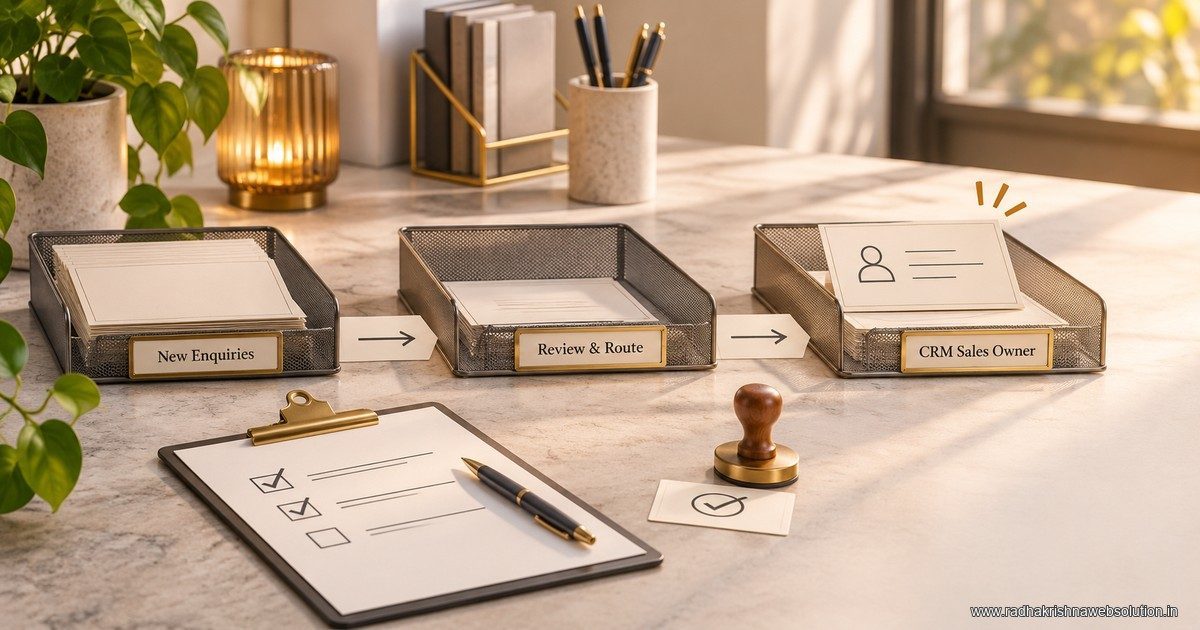
Once the CRM record exists, check its owner, service interest and next action. A successful sync can still produce an operational failure if the record lands in an unattended queue.
Use the enquiry-routing guide to define fallback ownership, and the lead-management guide to make follow-up visible. Measure delivery and qualification separately; sending more records to a CRM does not establish that marketing quality improved.
Frequently asked questions
Should we change the creative when leads stop syncing?
First establish whether capture or delivery failed. A CRM handoff problem needs a different repair from an advertisement that produces no suitable submissions.
Is one successful test sufficient?
It proves that particular path at that time. Include the forms, field variations, retries and ownership cases your operating setup needs.
Should we reconnect every account as the first step?
Preserve the current evidence and identify the failure first. Reconnection can change access or hide the original cause; follow the supported repair for the specific issue.
Close the investigation with a complete record
Keep the source identifier, delivery result, CRM record and responsible owner together. RKWS can help scope performance marketing and automation so the campaign and the receiving sales process have clear responsibilities.