Appointment booking automation connects availability, booking confirmation, reminders and changes in one workflow. Clinics and salons should define scheduling rules, responsibilities and cancellation handling before choosing tools. Test the customer and staff journeys, protect personal information and retain a way for people to resolve exceptions directly.
Missed calls mean empty chairs and waiting patients. If you get walk-ins from Google, read our playbooks on digital marketing for doctors and clinics and digital marketing for gyms and salons, then fix the next leak with booking automation that confirms every appointment.
Why clinics and salons lose bookings without automation
A typical clinic in Pune or salon in Vadodara handles bookings on a front-desk register, personal mobile and Instagram DMs. During busy hours, calls go unanswered, DMs pile up and staff forget to remind customers. Result: double bookings, long waits and no-shows that waste doctor or stylist time. In PCMC, where many customers travel 30 to 40 minutes for a visit, a forgotten appointment hurts both sides.
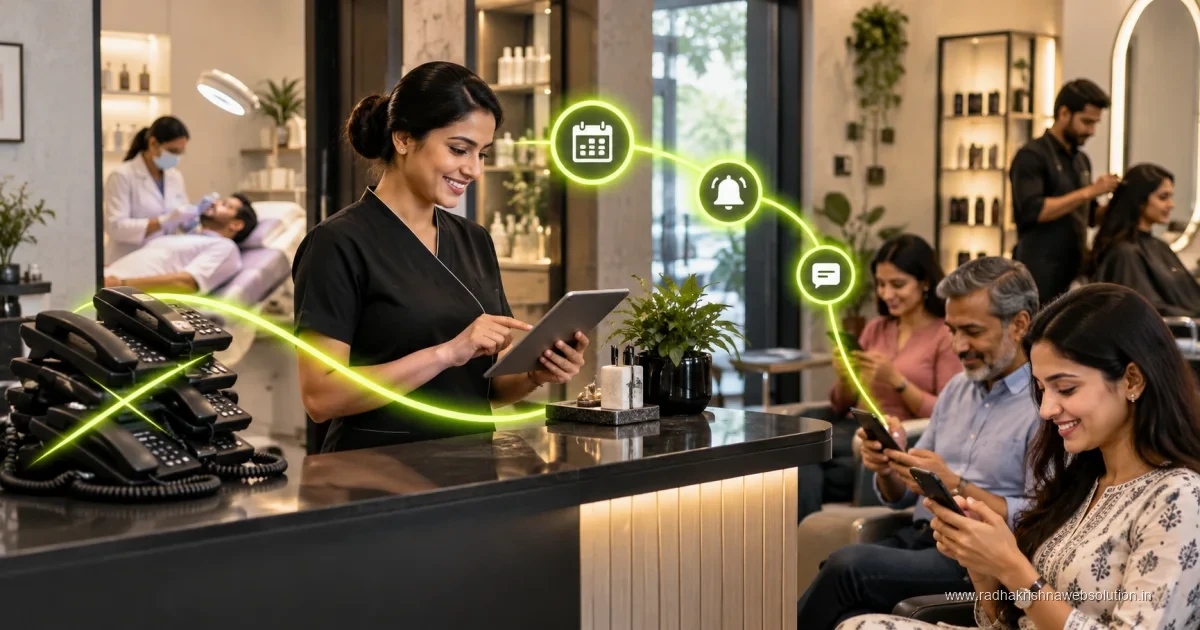
Booking automation gives one live calendar, instant confirmation and timely reminders. Customers can book from your website, Google profile or a link shared on call, pick a real free slot and get a confirmation they trust. Staff see the full day at a glance and owners see which services and time slots earn best, without calling the front desk repeatedly.
Design a booking flow customers will actually use
Keep booking under one minute on mobile. Show only what is needed: service or doctor, date, time slot, name and phone number. For clinics, add reason for visit and new or follow-up option. For salons, add service duration and staff preference as optional, not compulsory. Confirm immediately on screen and by message, with address, landmark and reschedule link.
Useful rules we recommend:
- Set real slot lengths: 15 minutes for follow-up consultation, 45 to 60 minutes for hair treatments, with buffer for cleaning.
- Block lunch, weekly off and home visits so customers never book a closed slot.
- Allow rescheduling up to three hours before, with one-tap options instead of phone calls.
- Take explicit opt-in for reminders and offers separately. Service messages and marketing messages need separate consent under DPDP guidance.
- Keep walk-ins possible. Automation supports the desk, it does not replace personal care for elderly or first-time visitors.
Link the calendar to your website and Google Business Profile so Book buttons show live availability. Check vendor pricing for booking tools on their official sites, as free plans and limits vary.
Reminders that reduce no-shows with consent
Reminders work best as a short sequence, not a single message. Ask for preferred channel at booking and respect it. A practical sequence is instant confirmation after booking, a polite reminder one day before with reschedule option, and a short reminder three hours before with location link. For clinics handling sensitive care, keep language neutral and avoid disclosing treatment details in the message preview.
Always include opt-out instructions and honour them immediately. Do not add patients or salon guests to promotional broadcast lists without clear separate permission. Our WhatsApp Business automation guide for India explains consent-first templates you can adapt for confirmations. For tool setup help, see our automation services for appointment flows.
Run the front desk smoothly on the day
Automation should make the receptionist calmer, not busier. Give the desk one tablet view with today, token number and status: Confirmed, Arrived, In Service, Done and No-Show. Use colour tags and keep phone numbers clickable for quick calls. When a customer arrives late, the system should suggest the next free slot instead of disturbing the whole queue.
Collect payments and feedback simply. After Done, trigger a thank-you message with bill link and a Google review request only if the customer agrees. For clinics, attach prescription or next-visit guidance as per your normal process. For salons, suggest a next sitting based on service cycle, but only to opted-in customers. Review no-show reasons weekly: wrong number, traffic, price doubt or forgot. Fix the top reason first.
Track slots, staff and repeat visits
Once bookings are digital, small reports bring big gains. Track daily utilisation, peak hours, top services and repeat-visit rate. A salon in Baner may find Sundays full but Tuesdays empty and can move a weekday offer only to opted-in regulars. A dental clinic in Wakad may find scaling patients return every six months and can schedule recall reminders with consent.
Share a simple weekly summary with doctors or stylists: appointments done, no-shows, reschedules and Google reviews received. Keep data access limited to staff who need it, enable PIN locks on desk devices and retain records as per medical or business norms. Clean, consented data also helps your future marketing without risking trust.
What booking automation costs and how to budget in Rs
For a single clinic or salon in Pune, PCMC, or Vadodara, budgeting for booking automation is usually straightforward if you separate setup from running effort. One-time setup covers the booking page, service and doctor or stylist masters, slot rules, confirmation and reminder templates, and the front-desk day view. Complexities that increase setup are multiple branches, different weekly offs, and separate price lists for services. Keep the first phase to one location and one calendar so staff can learn without pressure.
For running effort, plan mainly for staff time rather than new hiring. Someone needs to own the roster, block leave and holidays, and review no-show reasons weekly. For current tool and message charges, check vendor pricing on official sites, as limits change often. The saving comes from fewer empty slots and less phone chasing. Teams that have studied workflow automations that save hours weekly usually see where booking fits among other routine tasks.
Rollout timeline for a clinic or salon in Pune, PCMC, or Vadodara
A calm rollout takes about three to five weeks for one location. In the first week, list services with correct durations, staff rosters, lunch breaks, weekly offs, and buffer time for cleaning or case notes. A dental clinic in Wakad may keep fifteen minutes for follow-ups and thirty minutes for new consultations, while a salon in Baner may keep forty-five to sixty minutes for hair treatments. In the second week, build the booking page, connect it to the website and Google Business Profile, and draft confirmation and reminder wording with clear opt-in and opt-out lines.
In the third week, train the front desk on the day view and run paper and digital methods together for a few days. Keep a paper backup for one week so staff feel safe. In the fourth week, go live and review daily for missed slots and late arrivals. Guidance on tone and timing from how to automate lead follow-up without sounding like a robot helps with polite yet firm reminder wording. By week five, most teams handle walk-ins, online bookings, and reschedules from one screen.
Mistakes that increase no-shows even after automation
Automation reduces forgetful no-shows, but some habits can undo the gain. The first is asking for too much detail at booking. Long forms cause drop-offs on mobile, especially for first-time visitors. Keep name, phone number, service, date, and slot compulsory, and keep staff preference, notes, and address optional. The second mistake is sending reminders without proper consent or without an easy reschedule option. Customers who cannot reschedule in one tap often simply skip the visit. Always take separate opt-in for service reminders and promotional offers, and honour opt-out immediately in line with DPDP guidance.
The third mistake is neglecting the day-wise roster. If leave or home visits are not blocked in time, customers book slots staff cannot honour, which damages trust. Assign roster ownership to one person and review it every Friday. The fourth mistake is delaying bill and next-visit communication. After marking Done, share the bill link promptly and request a review only where the customer agreed. Our note on invoice automation in India explains how timely bills reduce follow-up calls. Fix the top no-show reason each week rather than adding more messages.
| Automation | Trigger | Channel | Purpose |
|---|---|---|---|
| Instant confirmation | New booking created | SMS or WhatsApp with opt-in | Build trust and share location |
| Day-before reminder | 24 hours before slot | Message with reschedule link | Reduce forgetful no-shows |
| Same-day reminder | 3 hours before slot | Short message with token time | Manage queue and late arrivals |
| Recall nudge | Service cycle completed | Only to consented contacts | Bring back repeat visits |
| Review request | Marked as Done | Message if customer agrees | Grow Google reputation |
Want calmer days with fuller calendars? RadhaKrishna Web Solutions sets up booking pages, reminders and desk dashboards for clinics and salons across Pune, PCMC and Vadodara. Explore our automation services or contact us for a free demo. Call +91 70962 91214 to discuss your slots and staff roster.
Official references and further reading
Frequently asked questions
Will automation confuse elderly patients or walk-in customers?
No, if you keep walk-ins and phone booking open. Automation adds an online option while desk staff continue to help those who prefer calling.
How do reminders comply with consent rules?
Take separate opt-in for service reminders and promotions, mention opt-out clearly and stop messages immediately on request, in line with DPDP guidance.
Can we use our existing register alongside online booking?
Yes. Start with one tablet for today's list while keeping a paper backup for a week. Most teams shift fully once they trust the calendar.
How long does booking automation take for one clinic or salon?
One location usually goes live in three to five weeks, including service masters, slot rules, templates, and front-desk training.