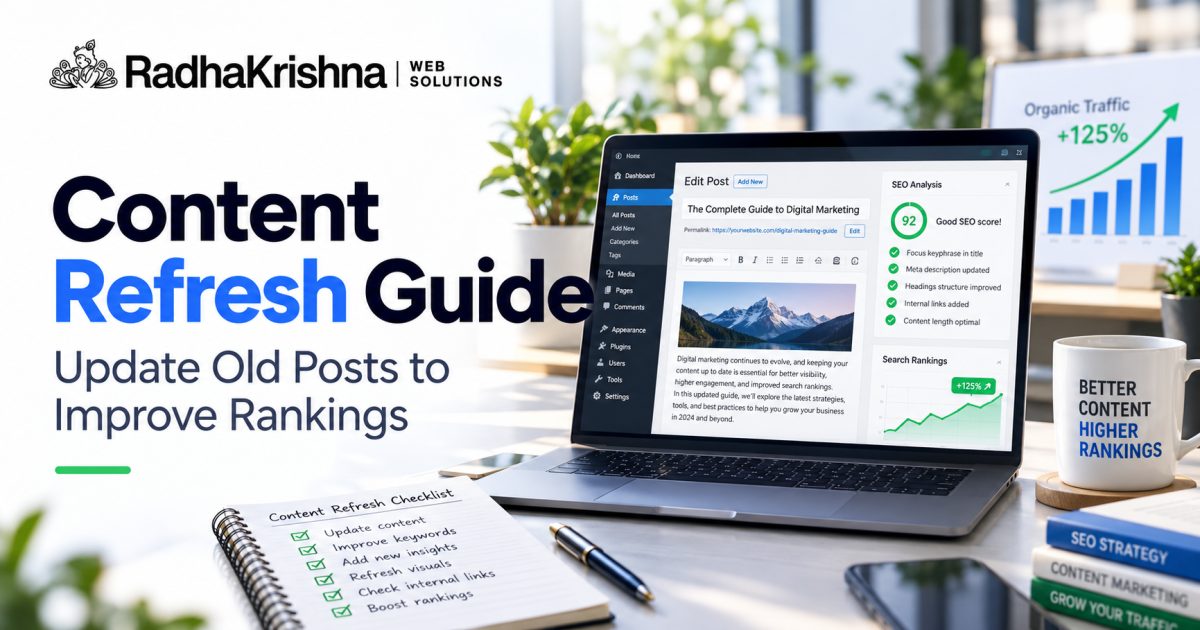
Many Indian SMB blogs have old posts that once brought traffic but slowly stopped performing. Instead of always writing new articles, refreshing existing content can be more effective. This guide explains how to find declining posts and update them carefully, building on ideas from our AI Overviews impact guide for Indian businesses and AEO and GEO guide.
When to Refresh Old Blog Posts for SEO
Content often declines because information becomes outdated, search intent changes or newer pages answer questions better. A 2021 post on website costs or SEO tips may mention old prices, tools or steps that confuse readers today. For Pune and Vadodara businesses, changes in service areas, pricing and customer expectations can also make old advice less useful. Refreshing helps visitors trust you again.
Not every post deserves a refresh. Prioritise posts that already have some impressions, backlinks or enquiries in the past, and topics still relevant to your services. If a post is off-topic or thin, assess its links, organic traffic, purpose and relevance before deciding whether to consolidate it, redirect it to a closely matching page or leave it online. Our SEO services work often starts with this triage so effort goes where returns are likely.
Find Blog Posts to Refresh in Google Search Console
Start with Search Console to spot pages with falling clicks but steady impressions. This pattern may signal weaker click-through rate, changing intent or stronger competitors, but also check demand and the mix of ranking queries before diagnosing the cause. Check analytics for meaningful engagement, landing-page conversions and changes in form fills; no single engagement metric proves a page is outdated. List your service-related posts first, because those directly support leads, then supporting informational posts that feed them.
- Posts ranking on page two or lower with good impressions
- Service and cost posts with outdated prices or process details
- Guides with broken links, old screenshots or missing steps
- Posts getting traffic but no calls, forms or WhatsApp clicks
- Duplicate posts covering the same topic in different words
Pick three to five posts for the first round. Note the main query, current headings and what competitors now cover better. This focused list keeps the work manageable for a small team without pausing new content for long. If tracking feels messy, structured digital marketing reporting helps you compare before and after fairly.
Step-by-Step SEO Content Refresh Checklist
Keep what already works, such as the URL, useful sections and any original examples or photos. Update facts, prices in rupees, steps, tools and local details. Improve headings so they match how customers ask today, and add short answers near the top for common questions. Add internal links to relevant service pages and newer posts so readers can take the next step.
- Confirm the main intent: advice, pricing, comparison or booking
- Update intro, facts, dates, prices and service areas
- Rewrite thin sections with clear steps and local examples
- Add FAQs from recent customer calls and comments
- Improve images, alt text and internal links
If the page layout is cluttered or slow on mobile, consider light improvements through website development such as better headings, table of contents and clear CTA placement. Do not change URLs unless necessary, and if you must, set proper redirects. Small, careful edits protect existing visibility while improving usefulness.
Improve Intent Match, Structure and Internal Links
Many declining posts miss current intent. A user searching cost today expects ranges, factors and city context, not only definitions. A user searching how-to expects steps they can follow. Read the top results and your own enquiry messages, then adjust headings and examples. For instance, a Pune salon post can add appointment process, patch test notes and festive season waiting time.
Strengthen structure with descriptive headings, short paragraphs and lists where steps matter. Link upward to service pages and sideways to related guides such as our landing page optimisation guide for better leads. Use descriptive anchor text that tells readers what they will get. This helps visitors navigate and helps search engines understand relationships between pages.
Publish Updates, Measure Results and Build a Refresh Routine
After updating, check readability on mobile, fix links and images, keep the original publication date, and show an accurate modified date if your site supports it and the content meaningfully changed. Share the refreshed post on Google Business Profile, WhatsApp broadcast and email where appropriate. Compare equivalent periods for impressions, clicks, click-through rate and enquiries, accounting for seasonality and other site changes. Monitor several weeks rather than promising ranking gains. Useful content often needs time to be recrawled and re-evaluated.
| Signal | What It Means | Refresh Action |
|---|---|---|
| Falling clicks, stable impressions | Listing seen but less chosen | Improve title, intro and headings |
| Traffic but no enquiries | Intent mismatch or weak CTA | Clarify offer and add call options |
| Weak engagement or conversions | Possible intent or UX mismatch; investigate | Check relevance, mobile UX and calls to action |
| Duplicate search intent | Potential overlap between URLs | Compare intent and merge only true duplicates |
| Broken elements | Trust and crawl issues | Fix links, images and layout |
Build a simple routine of reviewing important posts every quarter. Update service details, add new FAQs and remove outdated offers. For deeper reading on costs and planning, see our website development cost guide for Pune. Regular refreshes keep your blog trustworthy without constant new writing.
Illustrative Example: Refresh a Local Service Pricing Post
Imagine a Pune home services business with a 2021 post about deep cleaning charges that still earns impressions but few clicks. The prices were in old ranges, the areas served mentioned only two localities and there was no link to the booking page. In this illustrative scenario, Search Console shows steady impressions with falling clicks, while enquiries from the page are low.
A sensible refresh would keep the same URL and useful structure. The business could verify current price ranges and quote factors, update its real coverage areas, replace generic stock images with approved job photos, and answer actual customer questions. They could add clear links to service and booking pages and update the intro with the actual coverage. They should check the live results with basic SERP analysis for small business to confirm the page format still matched what Google showed.
Quarterly refresh workflow template for small teams
A simple routine keeps refreshes regular without overwhelming a small team. Once a quarter, list five candidate posts, pick three and refresh one per fortnight. Assign one owner so the task does not drift.
- Export Search Console pages with falling clicks but stable impressions
- Shortlist three posts closest to enquiries and note intent changes
- Update facts, prices, areas, screenshots, FAQs and internal links
- Test on mobile, fix media and confirm calls to action work
- Log date, changes and baseline clicks to compare after six weeks
Fold this routine into your monthly SEO workflow for SMBs so refreshes happen alongside new publishing. Check rival pages briefly with competitor research for small business SEO before rewriting, so your update closes real gaps. A shared log of what was changed and when makes the next quarter much faster.
Common refresh mistakes that waste effort
The most common mistake is rewriting the whole post from scratch and losing sections that already earned impressions. Keep headings and examples that perform, and improve around them. Another mistake is changing the URL for cosmetic reasons, which breaks existing links and history for little benefit.
- Updating only the date stamp without changing outdated facts or steps
- Stuffing new keywords into old paragraphs until the text reads unnaturally
- Deleting useful local details while adding generic filler to increase length
- Forgetting to update internal links, images and alt text during the refresh
- Publishing five refreshes at once and being unable to tell which change helped
Teams also refresh posts far from enquiries while money pages stay outdated. Always prioritise service, pricing and location-related posts first, because those support calls and forms directly.
When to refresh in-house and when to get help
Most SMB teams can refresh straightforward posts in-house: update prices, steps, FAQs, photos and links without outside support. The business owner often knows which customer questions changed, and that input matters more than writing polish. Keep a checklist so each refresh covers intent, accuracy and calls to action.
Ask for help when many posts overlap on the same topic, when traffic fell sharply after updates, or when refreshes need design or structural changes beyond text. An outside review can also help decide which thin posts to merge rather than update one by one. Our keyword cannibalization guide explains how to identify genuine intent overlap.
Have old posts that no longer bring enquiries? Contact RadhaKrishna Web Solutions for a practical content refresh plan, or call us on +91 70962 91214 to discuss your blog and services in Pune or Vadodara.
Frequently asked questions
How often should I refresh old blog posts?
Review important service and high-traffic posts every few months. Update prices, steps, areas and FAQs when details change. Regular light updates keep content accurate without needing full rewrites each time.
Should I change the URL when refreshing a post?
Usually keep the existing URL and original publication date. Update facts, headings, media, links and an accurate modified date. Only change URLs when necessary, with a relevant permanent redirect.
What should I do with very old thin posts?
If a post is off-topic or too thin to save, merge its useful points into a stronger related guide and redirect the old URL. Keep your blog focused on topics that support your services and enquiries.
How do I know the refresh worked?
Compare Search Console clicks, impressions, click-through rate and page-level conversions over comparable periods before and after the update. Allow for recrawling, seasonality and concurrent changes; improvements cannot be guaranteed.